

Most website owners have a general sense that their SEO could be better. What they lack is specifics. Which pages are invisible to Google, which keywords are almost ranking but not quite, which technical issues are quietly suppressing traffic. The complete SEO toolkit TopRankerTools answers these questions automatically, without requiring hours of manual investigation.
Víte, jak provést SEO analýzu bez technických znalostí? SEO analýza
The Gap Between What You Think and What Google Sees
The first thing the platform tends to surface is an indexation gap. You might have 400 pages on your website and assume Google has found all of them. The indexation dashboard frequently tells a different story. Pages that were never submitted, pages that were updated but not re-crawled, pages that sit in a grey zone between indexed and pending… all of this becomes visible immediately after connecting your site (in this regard, you might also acquaint yourself with the basics of Google Indexing).
For e-commerce stores, this gap is often dramatic. Product pages added in bulk, seasonal landing pages, and filtered category URLs accumulate fast and fall through the cracks of manual SEO management. TopRankerTools shows the full picture and submits missing pages to Google’s Indexing API directly from the dashboard.
What the On-Page Audit Actually Finds?
The automated on-page audit runs more than 30 checks across every crawled page and returns a prioritized list of issues rather than a flat report of everything wrong at once. This distinction matters more than it might seem. A site with 500 pages can generate thousands of individual SEO issues. Without prioritization, that list can get overwhelming pretty easily.
The audit covers the elements that directly affect how Google reads and ranks a page – title tags missing or duplicated, meta descriptions too short or absent, heading hierarchy broken across H1 and H2 levels, images without alt text, schema markup missing or malformed, GZIP compression not enabled.
Each issue comes with a clear explanation of why it matters and what to do about it.
Working through audit results effectively means focusing on the highest-priority issues first and tracking them over time. TopRankerTools re-crawls on schedule, so you see whether fixes actually took effect and whether new issues have appeared since the last run. Treating the audit as a one-time snapshot misses most of its value. Treating it as an ongoing feedback loop is where results accumulate.
Keyword Data That Comes With Context
Keyword tracking in TopRankerTools pulls directly from Google Search Console, which means the data reflects what Google actually measures. Rankings, clicks, impressions, and average positions arrive with 24 months of history from day one. Year-over-year comparison is available without any additional setup.
The most actionable feature in this module is the ranking drop alert. When a page loses significant positions, the platform flags it before the traffic loss shows up in monthly reports. That early warning changes what you can do about it. A ranking drop caught within days can often be diagnosed and addressed. A drop noticed weeks later, after traffic has already fallen, is harder to reverse and harder to explain to clients or stakeholders.
Reading keyword data well means looking beyond absolute positions. A page ranking 8th for a high-volume term represents a different opportunity than a page ranking 2nd for a term no one searches. TopRankerTools surfaces both, and the Keyword Opportunity Finder specifically highlights the middle ground: terms where your site already has ranking traction but the content hasn’t been optimized to capture it fully.
The Opportunity Data Most Sites Ignore
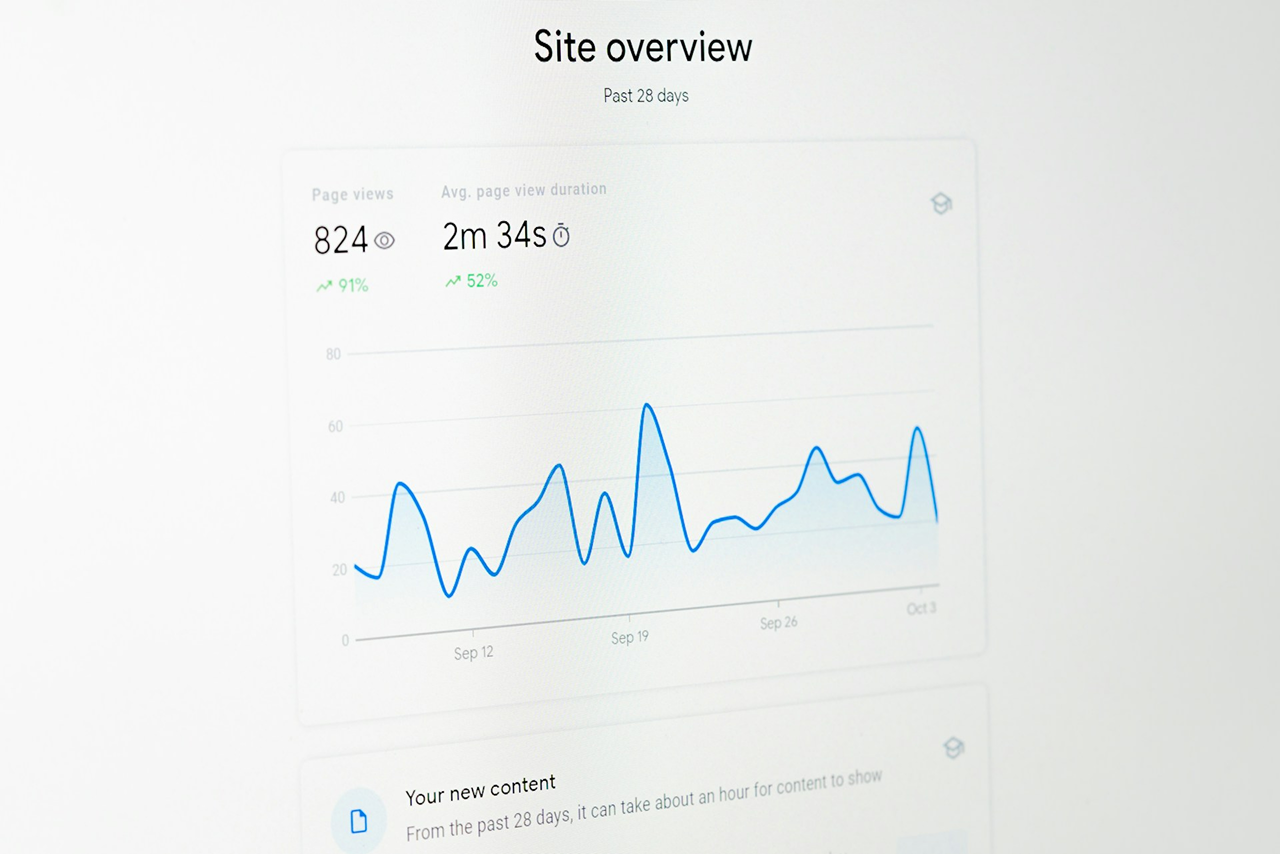
The Keyword Opportunity Finder deserves separate attention because it addresses a specific and common situation. Your site ranks for hundreds or thousands of search queries in positions 5 through 15. These are real searches from real people, generating impressions in Google but not enough clicks to register as significant traffic. The content on those pages doesn’t mention the ranking terms prominently, or doesn’t mention them at all.
The platform identifies these gaps, shows the search volume behind each term, and quantifies the traffic being missed. This is not speculative keyword research, as these are queries Google has already associated with your pages. Adding relevant content that properly addresses them is one of the lowest-effort, highest-return SEO actions available, and most sites have dozens or hundreds of these opportunities sitting unused.
Acting on this data follows a simple workflow:
- export the opportunity list,
- prioritize by search volume and current position,
- update the relevant pages to incorporate the missing terms naturally,
- and monitor how rankings respond over the following weeks.
Users who work through even a fraction of these opportunities consistently see measurable organic traffic growth.
Page Speed Results in Plain Language
Core Web Vitals data in TopRankerTools goes beyond a single performance score. The platform tracks LCP, TBT, and CLS for every monitored page over time and attaches specific recommendations to each metric. When LCP is high, you see which element is causing the delay and what to do about it. When CLS is problematic, you see which content shifts are responsible. You can read more about each of these metrics here.
This level of specificity is what separates useful page speed data from decorative page speed data. A score of 54 on Lighthouse tells you there’s a problem. A note that says your largest contentful paint is a 4.2MB hero image loaded without lazy loading tells you what to fix.
Monitoring page speed over time also catches regressions. A plugin update, a new embed, a heavier image added to a template – any of these can degrade performance across dozens of pages simultaneously. Automated monitoring catches this within the next scheduled test cycle rather than after users and Google have already noticed.
Uptime and Expiry Alerts Before They Become Crises
Uptime monitoring checks your site every 60 seconds. When the site goes down, an alert goes out immediately. This matters more than it might seem for SEO purposes, since extended downtime affects crawl budget, can trigger removal of pages from the index, and directly costs revenue for any site with transactional traffic.
The SSL and domain expiry tracking adds a layer of protection that catches an embarrassingly common problem. Expired SSL certificates take sites offline or trigger browser warnings that send visitors away. Domain expiry is rarer but catastrophic when it happens. TopRankerTools flags both weeks in advance, long before any visitor sees an error.
Data Is Only as Good as What You Do With It
TopRankerTools surfaces a comprehensive picture of SEO health across every connected site. The audit findings, keyword movements, indexation status, page speed scores, and uptime data all update automatically and sit in one place.
What the platform cannot do is act on that data for you. The sites that get the most out of it are the ones that treat it as a regular working tool. Weekly check-ins on ranking changes, monthly sweeps through audit priorities, and systematic work through keyword opportunities produce compounding results over time. The data is there. The only question is how consistently you use it.

- What Does the Complete SEO Toolkit TopRankerTools Reveal About Your Website and How to Act on It? - 30.04.2026
- How to Run Your First SEO Analysis Tool Audit Without Technical Knowledge - 30.04.2026
- What to Expect When Staying in a Karlín Apartment in Prague – An Honest Neighbourhood Guide - 22.04.2026